Randstad recruits employees in bulk (100+ at once) based on client requirements and assigns them to client locations. These workers are called EWs (Employees at Work). With over 1M+ clients—most requesting blue-collar employees—Randstad faces two main challenges:
A digital solution was needed to streamline the entire process.
02
The Plan
01eOnboarding
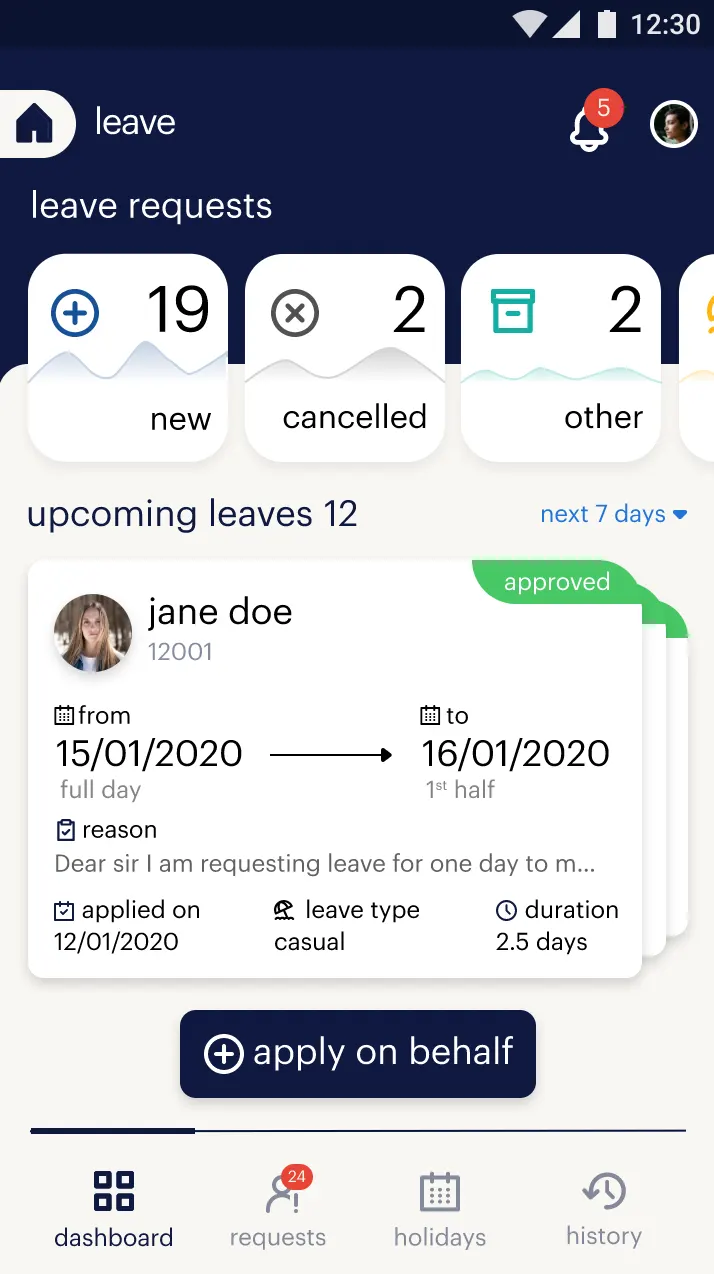
02Leave
03Attendance
04Reimbursement
03
The Process
At Randstad, I learned that the traditional UX process—Discover, Define, Ideate, Prototype, Test—cannot always be followed rigidly. New to a process-oriented design culture, I was mentored by my manager and co-designer to elevate my thinking. My instincts were often right, but the work was not yet data-backed. Their guidance helped me validate decisions and stay on the right track.
We took a faster route. There was no time for empathy maps, Crazy 8s, or other artifacts UX designers typically use to brainstorm. Here's our streamlined process.
01Stakeholder Interviews
02Process Flow Definition
03Wireframing
04Prototyping
04
Approach
Step 1: Stakeholder Interviews
We ran discovery workshops with the back-office team—who raised the requirement—and their director. Through nearly two months of stakeholder interviews, we identified the personas the system needed and translated that knowledge into the following deliverables:
Persona list & pain points
Product requirement document
Meeting recordings
Process flow diagram — based on 1, 2, and 3
Personas identified for:
eOnboarding
Candidate
Customer Success Team SPOC (uploads and corrects information)
Backend Processing
Verification Team
Leave & Attendance
Employee
Reporting Manager
Reimbursement
Employee
Reporting Manager
Reimbursement Team
Customer Success Team SPOC (oversees all statuses)
Contract Admin Team
Tool Used
GSuite
Time Taken
2 Months
Step 2: Process Flow Diagram
A process flow diagram is a swimlane flowchart, with each lane dedicated to a persona. We built it during discovery to map who starts the process, who ends it, who acts in between under which conditions, and which statuses each user sees along the way. The back-office team's entire offline (real-world) operation was captured in this diagram.
For demonstration, I've included only the Reimbursement process flow diagram below:
Once the wireframe layouts and screen flows were approved, we moved into prototyping. This took eight months, including revisions, approvals, and an organisation-level demo.
Whether luck or not, we had a well-defined design system from Randstad HQ — randstad.design. The downside was that it was built purely for the web and marketing sites, not product UX. We therefore created a “pseudo design system”: inspired by the official elements, but adapted for product UX with more states and components.
Below are some prototype videos I'm able to share:
eOnboarding (Employee Mobile App) - Actual App Walkthrough
One Randstad was the largest full-fledged product suite I have designed in nine years. The experience was immense—learning how the organisation worked in depth, from requirement workshops and process flows through to prototyping, with every step in between. It was also my first true teamwork experience as a UX designer.
Thanks to my manager, Joy, and my co-designer, Michael, for trusting me as one of the key players on this project.