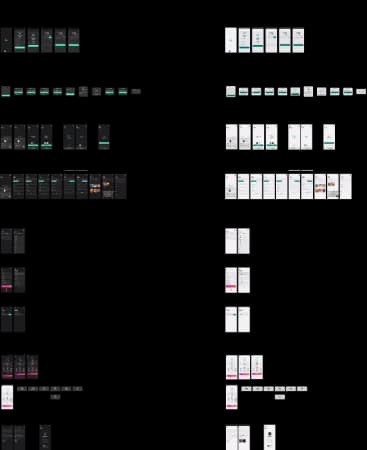
We needed a mobile live-streaming app that stayed minimal and welcoming—open to anyone starting a streaming career on mobile.
Target Audience
Winya — Target Audience
Competitive Analysis
Apps under consideration
Winya — Competitive Analysis
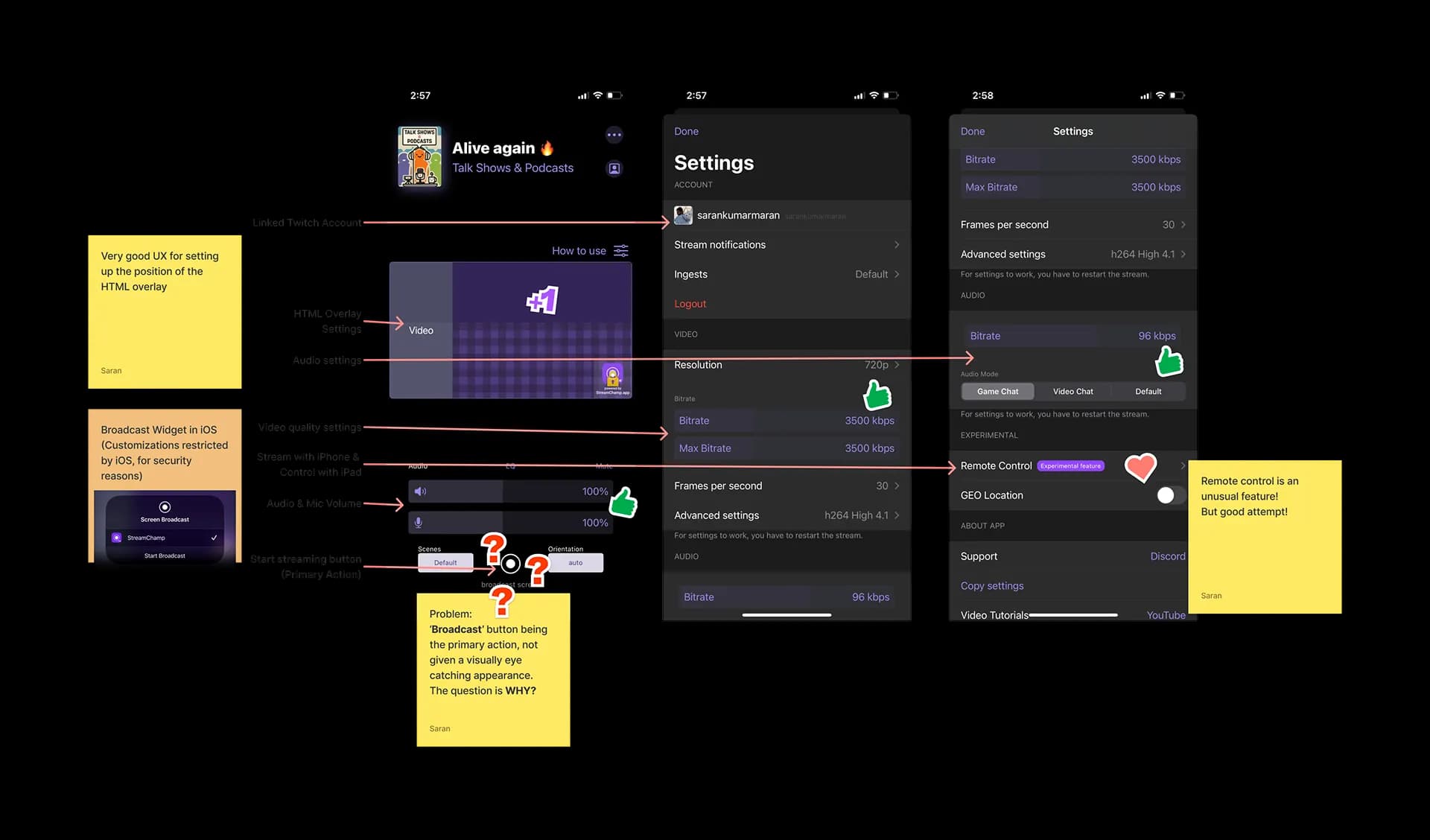
Stream Champ
Winya — Stream Champ
Key Features:
Custom HTML Overlay (Choosing & Positioning)
Advanced Audio & Video settings
Manual control for stream orientation
Super friendly for beginners
Embraces every Twitch streaming feature
Easy access to anything the streamer wants in the app
Remote Streaming
Shortcomings:
Broadcasting being the primary action, the 'Start broadcast' button is not prominent
Supports only direct streaming to Twitch
Settings are a bit cluttered, but better than others
Reason for the 'Start broadcast' button being small:
iOS gives developers a dedicated button to call the Broadcast widget, which asks the user to select a source. Unfortunately, there is no API to assign a different button to this widget, so developers are restricted from customising the button and its actions. iOS works this way to prevent privacy breaches during streaming—it automatically redacts sensitive information from the screen while streaming (for example, a password while typing).
Omelet
Winya — Omelet
Key Features:
Custom HTML Overlay (Choosing only)
Advanced Audio & Video settings
Embraces almost every feature on every platform
Multi-platform streaming
RTMP
Has its own platform as well
Custom Watermark
Shortcomings:
Very cluttered UI, making it difficult for beginners
Similar 'Broadcast' button issue
IRL is not for everyone
Too many steps to start a stream
No support for portrait mode; supports only landscape
What is RTMP?
RTMP stands for Real-Time Messaging Protocol. Users usually sign in with Twitch, YouTube, or any platform they want to stream to. That method uses the HTTPS protocol and API calls. With RTMP, there is no need to log in; instead, each user gets a dedicated Stream Link and Stream Key on their platform. RTMP is used only for streaming live content.
What is Multi-Platform Streaming?
It is a feature that enables streaming to multiple platforms simultaneously. It is not a technology, but an in-app feature that is essential for any upcoming streaming app.
PRISM Live
Winya — PRISM Live
Key Features:
Overlay Stickers (Similar to HTML overlay)
Audio & Video quality settings
Multi-platform streaming
RTMP
Pre-filled RTMP stream links based on the platform
Foolproof UI
IRL is for everyone and not restricted
Shortcomings:
Does not allow the user into the app without granting all permissions (privacy issues)
No HTML overlay frames
Though they attempted to nail the experience, modifying the Broadcast button led to a malfunction where they were unable to call the Broadcast widget
Other apps
Winya — Other apps
These were some examples of what not to do in terms of UI. Going live is a big challenge in Twitch, Livenow, and Mobcrush. Livenow supports only RTMP, which makes it practically unusable for beginners. Streamlabs is easier from an experience standpoint, but inconsistent in UI and limited to IRL.
02
Roadmap
Mind Map
Winya — Mind Map
Product roadmap
Winya — Product roadmap
The idea behind Phase 0 was to check feasibility and scalability on the development side, which is why it remained a TestFlight version and was never released to market. Unlike most apps that start from the design end, Winya originated as an idea from the developers—one of them was testing Twitch APIs and needed a basic UI to validate the integration. Phase 0 succeeded and led us to Phase I, where we were confident enough to add features that could make it an MVP.
03
Design
User Flow Diagram
Winya — User Flow Diagram
Considering the user experience of competing apps, we made a strong decision in Phase II to keep the process simple enough for anyone to use. The app's flow is divided into three segments: Onboarding, Preferences, and Streaming. Most streaming apps did not focus on onboarding after login; instead, they relied on a simple walkthrough. Without onboarding, users do not know how to set up a platform. Walkthroughs are mostly skipped. That is exactly why we helped users set up at least one platform during onboarding, so they would be accustomed to a similar flow inside the app. The user flow diagram was planned around all functionalities so tasks could be prioritised by developers with a wider vision.
Phase I — Wireframe
Winya — Phase I — Wireframe
With our test version succeeding, we progressed confidently into other features such as pause stream, stream quality, and watermark, which were decided as premium features in the app. The subscription screen was designed so users would not feel lost once they arrived. We have only a few seconds of a user's valuable time to convert into a sale. We made sure there is no scrolling to discover all plans (benchmarked to the SE 2 screen size) and no more than two interactions (selection and confirmation) on the screen.
Phase II — Wireframe
Winya — Phase II — Wireframe
Following the success of Phase I, we added more features in Phase II as planned in the roadmap. RTMP and multi-streaming led this phase, and another necessity emerged that we wanted to test. We interviewed streamers and learned they wanted a way to change settings while live. The challenge was to surface every control without cluttering the screen or adding cognitive load. That is where we adopted the Pull Tab approach—users can pull it out anytime like a kitchen drawer and close it when not needed, without leaving the parent screen. It was an experimental approach we wanted to try for this phase.
With the "Start Streaming" button in the right place, users would be shifting platforms without stopping the stream. Hence we placed the platform selector right above the call to action.
This was the first working version given to us by the developers when Winya was just an idea.
There were two things we looked into:
Twitch Streaming
Modifying the appearance of the 'Static Broadcast' button
Winya — Phase 0 — App screens
And it worked. Our developers achieved a minor UI-level modification that changed the appearance of iOS's default static Broadcast button—something others could not achieve.
Winya — Phase 0 — App screens
Phase I — App screens
Winya — Phase I — App screens
With "Start Streaming" as the main call-to-action button, we placed it between the bottom and middle of the screen to improve thumb reach with minimal effort compared to other apps. The other buttons (copy link and system sound on/off) sit a little higher, as they are accessed less often.
The pausing feature was one of our UBRs, as many competitors had not achieved this kind of behaviour.
If 'Start Streaming' → Pause & Stop buttons reveal, hiding Start Streaming; screen says "Streaming through <accountid>"
If 'Pause' → Pause changes to Resume; screen says "Paused"
If 'Resume' → Resume changes to Pause; screen says "Streaming through <accountid>"
If 'Stop' → Start Streaming button reveals, hiding the rest; screen says "hello <accountid>"
This was certainly not a UI challenge, but an implementation challenge that no others were able to solve. To our surprise, it even passed App Review—the App Store did not reject our method, which involves visual modification of the button itself—because we made sure privacy was never compromised by the change.
Phase II — App screens
Winya — Phase II — App screens
The pull tab looked efficient in design, but engineering hit a hard edge: iOS had no native pull-tab component to lean on.
The main challenges while prototyping for inclusivity:
UI was built on the Flakes Design System, inspired by Human Interface Guidelines, to keep accessibility close to platform defaults and limit one-off code.
Dark mode was tuned for Winya so colour-blind users retain usable contrast.
Font accessibility rides the system default (SF Pro Display).
Localised in more than five languages. Copy length and type size were tuned—especially for Russian—to reduce overflow when Dynamic Type scales up.
UX writing kept every term plain enough for someone new to streaming.