

Problem Statement
Brindas is a multi-cuisine restaurant in Singapore. Link: www.brindas.com.sg/
They take orders for home delivery, dine-in, take-away, tingkat, high tea, bento, wedding catering, and more. Their existing app was not user-friendly, which led to a high volume of phone calls that staff struggled to handle. They needed a revamp.
Requirements received
- Design for web and mobile layouts
App’s core purpose
- Order Food
- Schedule Delivery
Other features needed
- Different Order Types
- Festive Offers
- Customise items
- Payment & invoice
Existing system
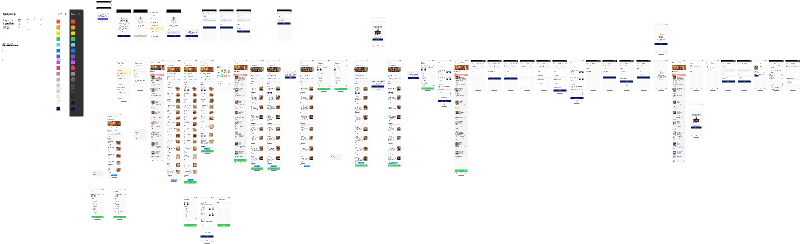
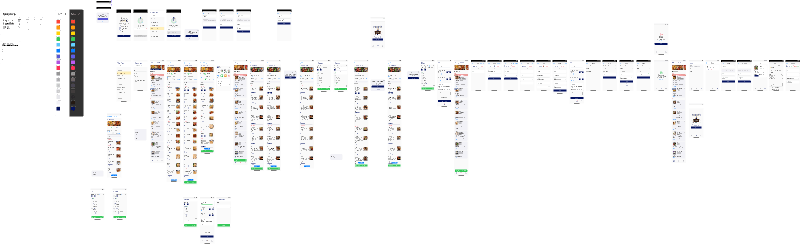
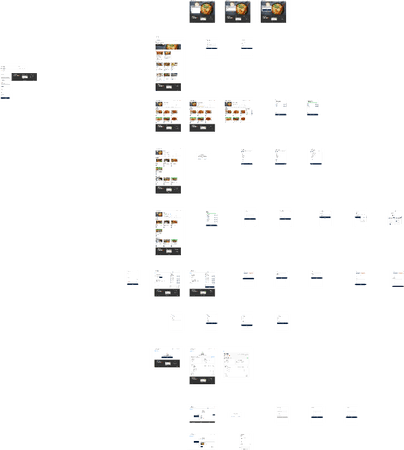
The flowchart above shows the overall flow of the existing web app, where users are first asked their purpose for visiting. That is where the problem started. According to their data, almost half of users exited on the first page and called instead.
Why users stalled on the first page
- Too many options — hard to choose
- Overlong description for each option
- Not inviting enough to continue
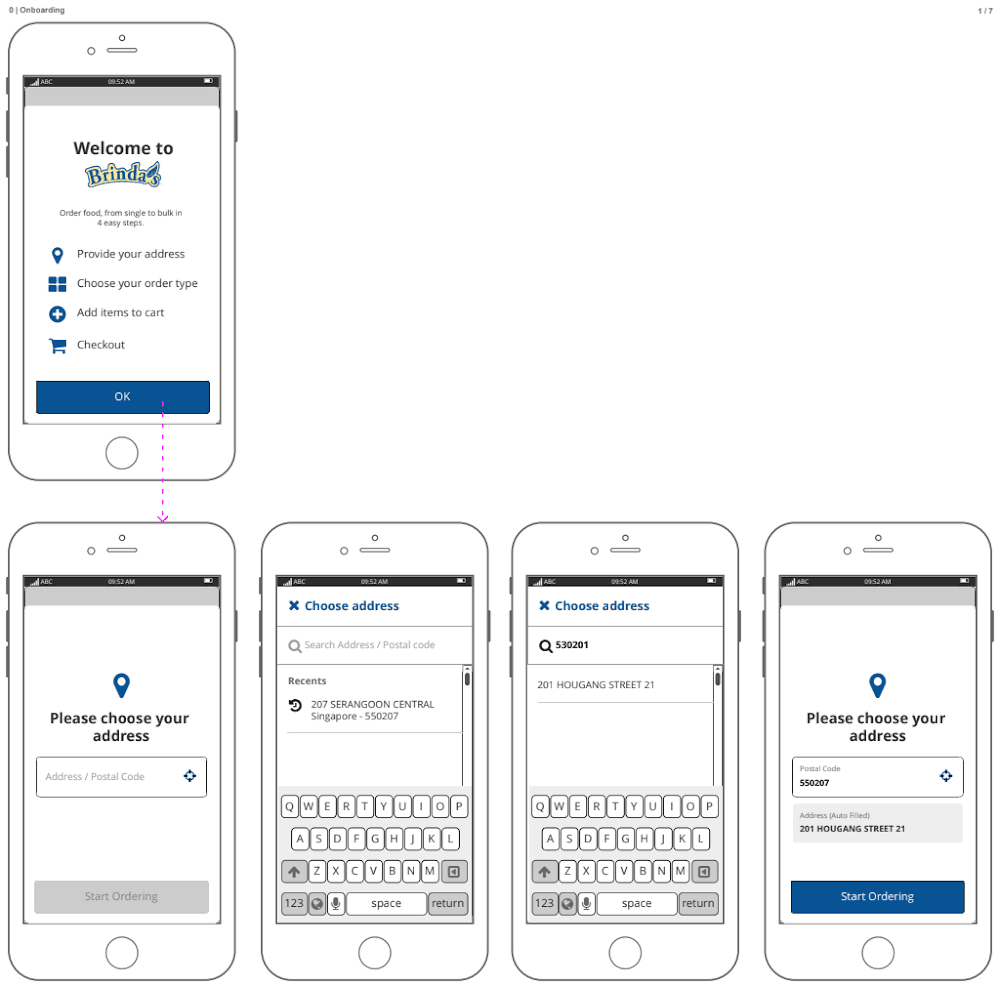
The system fetches the postal code only for delivery—to estimate minimum delivery time and update delivery charges.
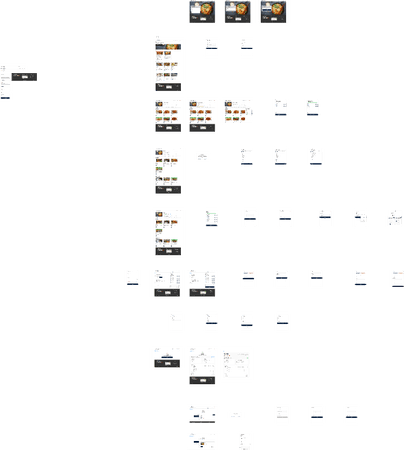
Although the flowchart shows postal code and item selection as separate steps, the webpage placed everything side by side. The page was divided into three columns: the first for menu categories, the second for menu items under each category, and the third for the cart and delivery details. The older version is no longer available, so a similar wireframe is provided for reference.
The layout above places too much cognitive load on the user. Even though desktop offers ample screen real estate, it still distracts users by asking them to focus on too many things at once.
Competitive analysis
Apps considered:
Swiggy www.swiggy.com/
Zomato www.zomato.com/
- Grab
Grab stood out for the client. They wanted a sliding tab bar for categories, with items scrolling beneath it.
A slide-in cart would ease the web experience. The client wanted a similar layout—Grab is among the most used food apps in Singapore.
Swiggy
Not client-suggested, but an app I know well. Swiggy does not operate in Singapore, yet it is one of the most used food ordering apps in India, so I planned to draw some inspiration from it. What stood out most was the flow.
Step 1: Pick an item from a restaurant
- Step 2: Pick an item from another restaurant (you get an alert to switch)
- Step 3: Pick an item with customisations (a modal collects them)
Step 4: Edit in cart (removal is direct; adding asks whether to repeat or choose a new customisation)
- Swiggy handled those scenarios more clearly than the others.
- Zomato
Zomato holds one of India’s largest food-ordering markets, though I found its older UI cluttered in appearance—Swiggy’s offers felt stronger. The useful takeaway was Zomato’s approach: ask where users are first, then let them discover more as they scroll.
Zomato’s UI is cleaner now than it was a year earlier.
Focus & limits
From those apps it was clear the client had little direction yet for how mobile should work. I received many expectations for the web version—mostly about UI, not the app’s workflow.
- A few more questions about how the restaurant operates clarified what should stay fixed.
Type of orders Question: Can the user choose the purpose (instead of order type) so we can guide them with a set of items they can add to their order? Answer: No. It should be order type only. Items and minimum item counts are restricted for every type, and changing that would significantly affect cart value.
Item-wise comments Question: Why does every item in the cart need a comment in addition to an overall comment? Answer: Because the staff who pack the items can get confused. There can be scenarios where items go in different carry bags—comments help ensure which items go together.
Order tracking Question: How does order tracking work? Will it include live tracking of the delivery person? Answer: No, not as of now. Order tracking is available through the app, SMS, and a call when the order has been dispatched. No live tracking for now due to budget constraints, though there are plans to add it in upcoming versions.
OTP verification before payment Question: We already have the user’s contact. Why do we need another contact for the delivery address, plus OTP verification? Answer: Some people place large orders for others as a prank or harassment. If someone orders for another person, that person’s consent is needed so Brindas can prove the receiver knew about the order if they later claim otherwise. The OTP confirms the other person accepts the order.
Unlike the three marketplace apps above, Brindas serves a single restaurant. That alone explains why the client does not want to add live tracking yet.
Target: Audience: Anyone Demography: Singapore Age: All Gender: All Devices: Desktop (from 1024 × 768 to 2K) & Mobile (iPhone 5S to XS Max)
Tech details
- Front End: Angular + HTML/CSS
- App type: PWA (Progressive web app) / Responsive
The app is web-based but also needs to serve Android and iOS users, so I stuck with common patterns used across both platforms. The customer needed the experience only through invoicing—no live tracking.